
News
How to Choose the Best NFC Smart Door Lock?
Choosing an NFC Smart Door Lock is not just about tapping a phone and hearing the door unlock. The right model must fit your door, match your devices, and work reliably during everyday routines. Small details matter. A lock that looks sleek online may not fit a thick door or an existing deadbolt.
Before comparing features, check the product’s supported phones, NFC credentials, and installation requirements. NFC compatibility can vary by lock and device, so confirm the exact models rather than relying on a general claim. Consider who will use the lock, too. A household may need phone access, key cards for children, or temporary codes for visitors. Clear setup instructions and a practical backup entry method can make a real difference when a phone battery dies.
Security deserves careful attention. Look for transparent information about encryption, software updates, account protection, and how access records are handled. No feature removes every risk. Battery life, low-power alerts, and a dependable backup key also deserve a place in your comparison. Read the warranty and support details before buying, not after a problem appears. That sounds obvious, yet it is easy to overlook.
This guide explains how to compare an NFC Smart Door Lock by compatibility, security, installation, daily convenience, and long-term support. You will also find questions to ask before purchase, so marketing language does not make the decision for you. Some trade-offs remain. A convenient feature may add setup steps, and the best choice depends on your door and household.
How NFC Smart Door Locks Identify and Authenticate Users
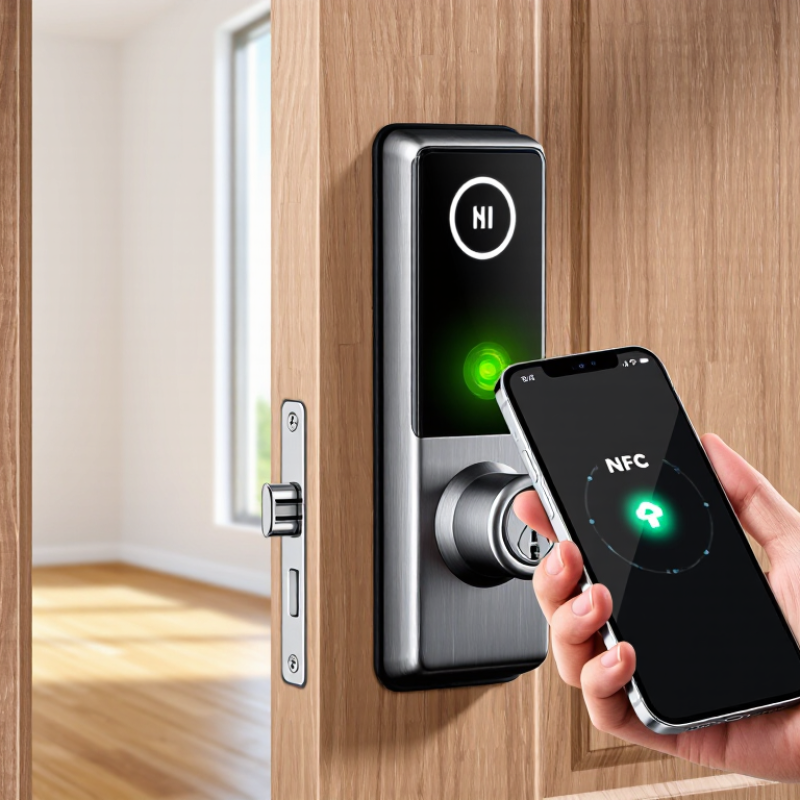
An NFC smart door lock identifies a credential when it enters the reader’s short range. That credential may be a phone, wearable, or access card. The reader detects its unique data and sends a request to the lock’s controller. Close range helps prevent accidental reads across a room, but it does not prove that a credential is genuine.
Authentication is the security check. Stronger systems use encrypted communication and challenge-response checks, rather than trusting a fixed ID that can simply be copied. The controller compares the response with approved credentials, then checks rules such as access hours. A green indicator and a brief click usually mean access was granted. A red light or a slow beep may signal an expired credential, weak phone battery, or connection problem.
When comparing locks, look for clear details about encryption, credential revocation, and offline behavior. Ask what happens if the network fails. A well-designed lock should still handle authorized entry safely, while recording events for later review when supported. Check whether lost phones or cards can be disabled promptly. Small details matter. NFC is not one uniform security standard, and a polished specification sheet can hide important differences. Read the installation and recovery instructions before relying on the lock for a main entrance.
How to Choose the Best NFC Smart Door Lock? - How NFC Smart Door Locks Identify and Authenticate Users
| Feature or stage | How it works | What to check when choosing | Security notes and limitations |
|---|---|---|---|
| NFC communication | The reader and credential exchange data over a very short-range contactless radio connection. Many NFC systems operate at 13.56 MHz. | Confirm which credential formats and phone types the lock supports, and test that the reader works reliably with the intended devices. | Short range can make intentional use convenient, but it does not by itself guarantee secure authentication. |
| Credential identification | The lock reads information from a phone, card, or fob to determine which credential is being presented. | Check whether credentials can be individually named, added, disabled, and removed, rather than relying on one shared credential for everyone. | A readable card identifier alone is not proof that the person presenting it is authorized. Systems should use a secure authentication method, not just a copied identifier. |
| Credential authentication | The lock checks that the presented credential has valid cryptographic proof or otherwise meets its configured security rules before granting access. | Ask what authentication method is used and whether the manufacturer documents encryption, key management, and credential revocation. | Security depends on the full implementation, including how keys are stored and managed. An NFC logo or supported frequency alone does not establish security. |
| Mobile phone credentials | A compatible phone can present a digital credential using supported NFC features and the relevant phone operating-system services. | Verify phone and operating-system compatibility, enrollment requirements, battery-related behavior, and whether access can be revoked remotely. | Phone support varies by device, operating system, and credential setup. Do not assume every NFC-capable phone can act as a key for every lock. |
| Access decision | After checking the credential, the lock compares it with its authorized users or access rules and unlocks if the required conditions are met. | Look for user-specific access schedules, temporary permissions, an event log, and clear controls for removing lost credentials. | Features such as schedules and logs depend on the lock and its software. Check whether they require a network connection or subscription. |
| Offline operation | Some locks store authorized credentials locally and can verify them without an active internet connection. | Confirm which functions continue offline, how access changes are synchronized, and whether event records are stored until reconnection. | Offline behavior is model-specific. Remote management and immediate revocation may not work until the lock reconnects. |
| Backup entry and power | A smart lock may offer a mechanical key, keypad, emergency power connection, or another fallback method. | Choose a practical backup method, check battery-life information, and understand low-battery warnings and emergency procedures. | Backup options differ by model. Follow the installation and maintenance instructions to reduce the risk of lockout. |
| Installation and door fit | The lock must fit the door, existing hardware, and required preparation while allowing the latch and deadbolt to move freely. | Check door thickness, backset, lock type, handing, and compatibility with the existing cylinder or mortise before purchase. | Physical compatibility and correct installation affect both operation and security. Use the model’s installation specifications rather than assuming a universal fit. |
