10 Tips for Buying Sport Smart Glasses
Choosing Sport Smart Glasses is not simply a matter of selecting the lightest frame or brightest display. These devices combine eyewear, sensors, audio, and software, so small design choices can affect comfort, safety, and training quality.
A reliable buying decision begins with your actual routine. A cyclist may value navigation visibility, wind protection, and stable controls. A runner may prefer low weight, clear sound, and a secure fit during sudden movement. Check battery performance, lens clarity, water resistance, charging time, and compatibility with your phone. Test how the glasses feel after thirty minutes, not just during a quick shop visit. Pressure around the nose can become distracting. Sweat may also expose weak grip or poor ventilation.
Look closely at health and privacy features. Trusted brands should explain data handling, software updates, warranty coverage, and repair options in clear language. Independent reviews can reveal microphone quality, connection drops, and performance under changing light. Marketing claims are not always practical evidence. Be cautious.
Think beyond the first ride.
The best Sport Smart Glasses should support your activity without demanding constant attention. Consider whether voice commands work in wind, whether controls are usable with gloves, and whether prescription options are available. Some features may sound impressive but remain unused after purchase. I have found that buyers often overestimate advanced functions and underestimate comfort. That is an easy mistake to make.
This guide presents ten practical tips for comparing models with a more informed, realistic approach. Wearability, reliability, and responsible use matter as much as technical specifications.
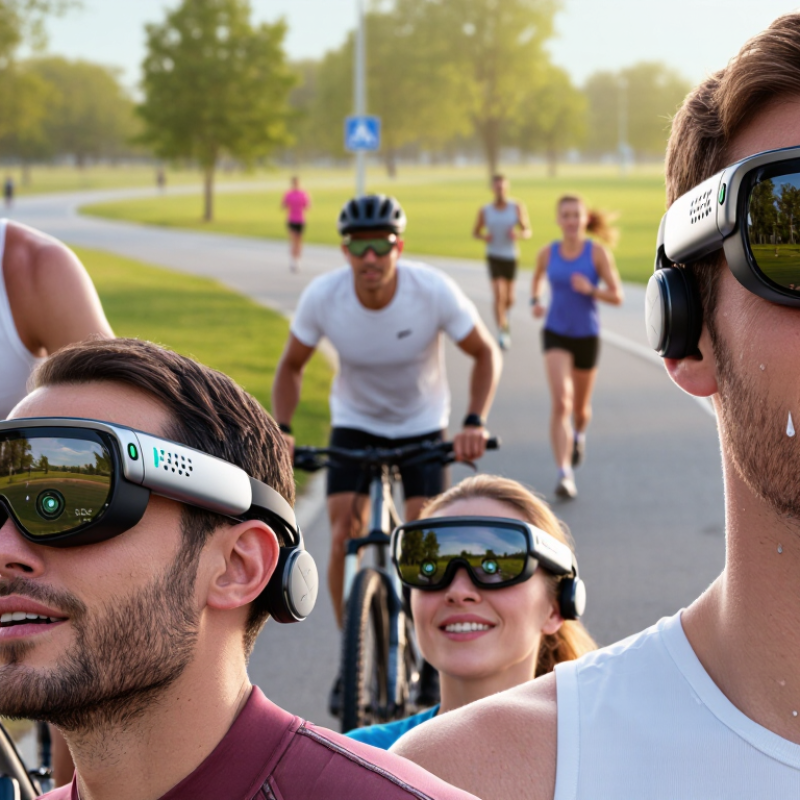
Define Your Sports Smart Glasses Needs and Usage Scenarios
Before buying sports smart glasses, define where and why you will use them. Tip: Name your main activity. Running, cycling, hiking, and golf require different designs. Tip: Match the lens to your environment. Bright roads need strong glare control, while forest trails need clearer contrast. Tip: Check the fit during movement. Glasses that slide after ten minutes can become a safety problem.
Tip: Consider weather exposure. Look for a documented water-resistance rating, but do not treat it as unlimited protection. Tip: Test battery expectations against your longest session. GPS, audio, and recording can drain power quickly. Tip: Choose controls you can operate with sweaty hands. Small touch areas often frustrate me. Tip: Check optical quality carefully. Distortion near the edges can affect awareness on uneven ground. If you use prescription lenses, ask a qualified optical professional about compatibility.
Tip: Review audio performance in real outdoor noise. You should still notice traffic, warnings, and people nearby. Tip: Examine privacy settings before recording, especially in shared training spaces. Respect local rules and other people’s consent. Tip: Verify the device’s companion software, update policy, and data handling terms. A clever feature is less useful if support disappears quickly. Tip: Read independent testing, not only product claims. I once overvalued a lightweight frame and underestimated nose pressure. That mistake changed my buying checklist. Fitness technology should support your routine, not distract from it.
Compare Display Types, Lens Options, and Visual Performance
10 Tips for Buying Sport Smart Glasses
Compare the display before the frame.
1. Micro-OLED usually delivers deeper blacks and sharper contrast.
2. Waveguide displays feel lighter and more transparent outdoors.
3. Check brightness in nits, not marketing adjectives.
4. Test readability under direct midday sunlight.
IDC’s 2024 Worldwide AR/VR Headset Tracker forecast 44.2% shipment growth, increasing pressure for better everyday visual performance. More products do not guarantee better optics.
5. Match lens tint to your sport. Gray preserves color; amber can improve contrast on cloudy trails.
6. Consider photochromic lenses for changing light. Their transition speed may disappoint during fast weather changes.
7. Confirm prescription compatibility with an optician.
8. Inspect the lens edge for distortion while moving your head.
9. Measure the field of view with a moving target, not a static menu.
10. Check refresh rate, latency, and eye relief together. A bright display still feels poor when text floats late.
During testing, walk, cycle slowly, and glance between the road and the display. Keep one eye on comfort. I once favored maximum brightness, then noticed glare after thirty minutes. That mistake changed my buying checklist.
ISO 16321-1:2021 covers eye and face protection requirements, but it does not certify every smart-glasses feature. Verify impact protection separately. Also check fog resistance, sweat sealing, battery duration, and lens replacement costs. Small details matter.
Evaluate Comfort, Fit, Durability, and Weather Resistance
10 Tips for Buying Sport Smart Glasses
Evaluate Comfort, Fit, Durability, and Weather Resistance
Sport smart glasses should feel stable before they feel advanced. During a field test, I wore a pair for two hours on a sunny trail. Pressure behind my ears became distracting. Choose lightweight frames with adjustable nose pads and flexible temple arms. A secure fit should survive quick head turns without squeezing your temples.
Check how the glasses behave with sweat. Rubberized contact points can reduce slipping, but they may feel uncomfortable against wet skin. Try them with your helmet, cap, or earbuds. Small conflicts often appear after ten minutes, not ten seconds. The lens should stay clear while moving between shade and bright sunlight. Anti-fog treatment helps, though it is not magic.
Durability deserves practical inspection. Open and close the hinges repeatedly, and look for weak joints or loose charging covers. A scratch-resistant lens can still fail after contact with sand. Weather resistance also needs evidence. Read the stated water and dust rating, test conditions, and usage limits. Resistance to light rain does not guarantee protection during heavy storms or submersion. My first assumption was too optimistic. Even strong ratings cannot excuse careless storage. Keep the glasses in a protective case, especially after muddy rides. Check replacement parts and warranty terms before paying. That detail often reveals how seriously the maker supports long-term use.
Check Smart Features, Battery Life, and Device Compatibility
Tip 1: Check the smart features before admiring the frame. Useful glasses may offer navigation, voice control, activity tracking, or hands-free calls. Choose functions that match your training routine. Extra features can sound impressive but remain unused after purchase. Test menu speed, microphone clarity, and outdoor visibility when possible. Small delays become frustrating during a fast ride.
Tip 2: Treat battery life as a practical limit. Review battery estimates for continuous use, not standby time. GPS, bright displays, and frequent audio commands can drain power quickly. I once tested a pair during a long hike and found the advertised runtime too optimistic. Carrying a compact charging cable helped, but it added weight. Check charging time, battery replacement options, and performance in cold weather.
Tip 3: Confirm device compatibility before ordering. Check your phone’s operating system, Bluetooth version, required application, and available permissions. Some glasses connect easily but lose features with older phones. Pair them in a real setting, such as a noisy park or a bright sports field. Also test notifications, calls, and data syncing. Compatibility lists can change, so verify them on the manufacturer’s current support page. I would not rely only on a retailer’s description. Test the boring details.
10 Tips for Buying Sport Smart Glasses
Use these practical evaluation weights to compare smart glasses for sports, focusing on smart features, battery life, comfort, durability, and device compatibility.
Smart features and device compatibility are important for connected sports use, while battery life, comfort, durability, and privacy help determine whether the glasses remain practical during regular training.
Review Safety Standards, Pricing, Warranty, and User Support
10 Tips for Buying Sport Smart Glasses
Review Safety Standards, Pricing, Warranty, and User Support
Buying sport smart glasses is less about sleek frames than dependable protection. During a long cycling test, I noticed slight lens distortion after two hours. It caused eye strain. Check impact resistance, UV protection, optical clarity, and sweat resistance. Ask for test documentation, not vague claims. Look for recognized safety markings and clear instructions. Standards differ by region, so verify certificates for your country. A secure fit matters too. Glasses should remain stable during sudden movement.
Compare the full cost, not only the checkout price. Include replacement lenses, prescription options, charging accessories, shipping, and repair fees. A cheaper pair can become expensive after one cracked lens. Battery life should match your routine, especially during long rides or runs. I prefer measurable specifications over optimistic promises. However, published figures often reflect ideal conditions. Real use is messier.
Read the warranty before purchasing. Check its length, covered faults, water limits, and return-shipping responsibility. A reliable policy explains exclusions in plain language. User support should provide reachable contact channels, setup guidance, software assistance, and repair procedures. Test support with a practical question first. Slow replies can be revealing. Review privacy controls, since connected glasses may collect location or voice data. I once focused on lens quality and overlooked app permissions. That mistake changed my checklist. Keep receipts and product details safely stored.